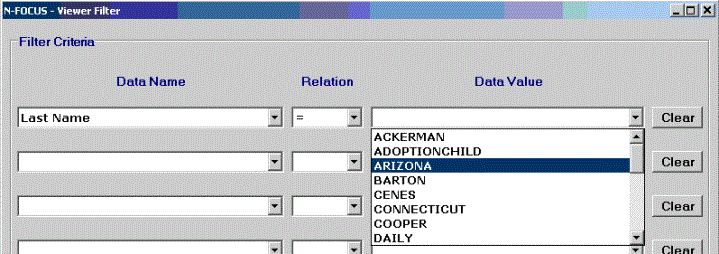
The Viewer Filter window permits specifying up to 8 filter criteria. Each criterion is specified by selecting an available item from the Data Name combo box, an item from the Relation combo box (=; Not =; <; < Or =; >; > Or =), and an item from the Data Value combo box. The Data Value combo box is populated with the unique values in the list print for the Data Name item selected.
The Clear buttons clear the filter criterion to the left; the Clear All button clears all filter criteria.
Clicking the OK button applies the filter criteria to the document, and re-displays the document. Data must meet all filter criteria to display in the document.
(07-10-06)